Customer Onboarding Emails: The SaaS Sequence and 7 Templates That Activate Users
Customer onboarding emails for SaaS: the event-triggered sequence shape, seven templates you can adapt, and the best practices that separate activation emails from ignored ones.
On this page (4)
Search for onboarding email templates and half the results are about welcoming new employees. This article is about the other kind: the emails a SaaS product sends a new customer between "created an account" and "actually uses this thing every week". We build email automation software, so we spend an unreasonable amount of time inside these sequences, and the pattern behind the ones that work is surprisingly consistent. One goal, activation. Every email either moves the user toward the product's first moment of real value or gets out of the way.
Below is the sequence shape, then seven templates you can adapt, then the practices that separate sequences users thank you for from sequences they filter.
The shape of a customer onboarding email sequence
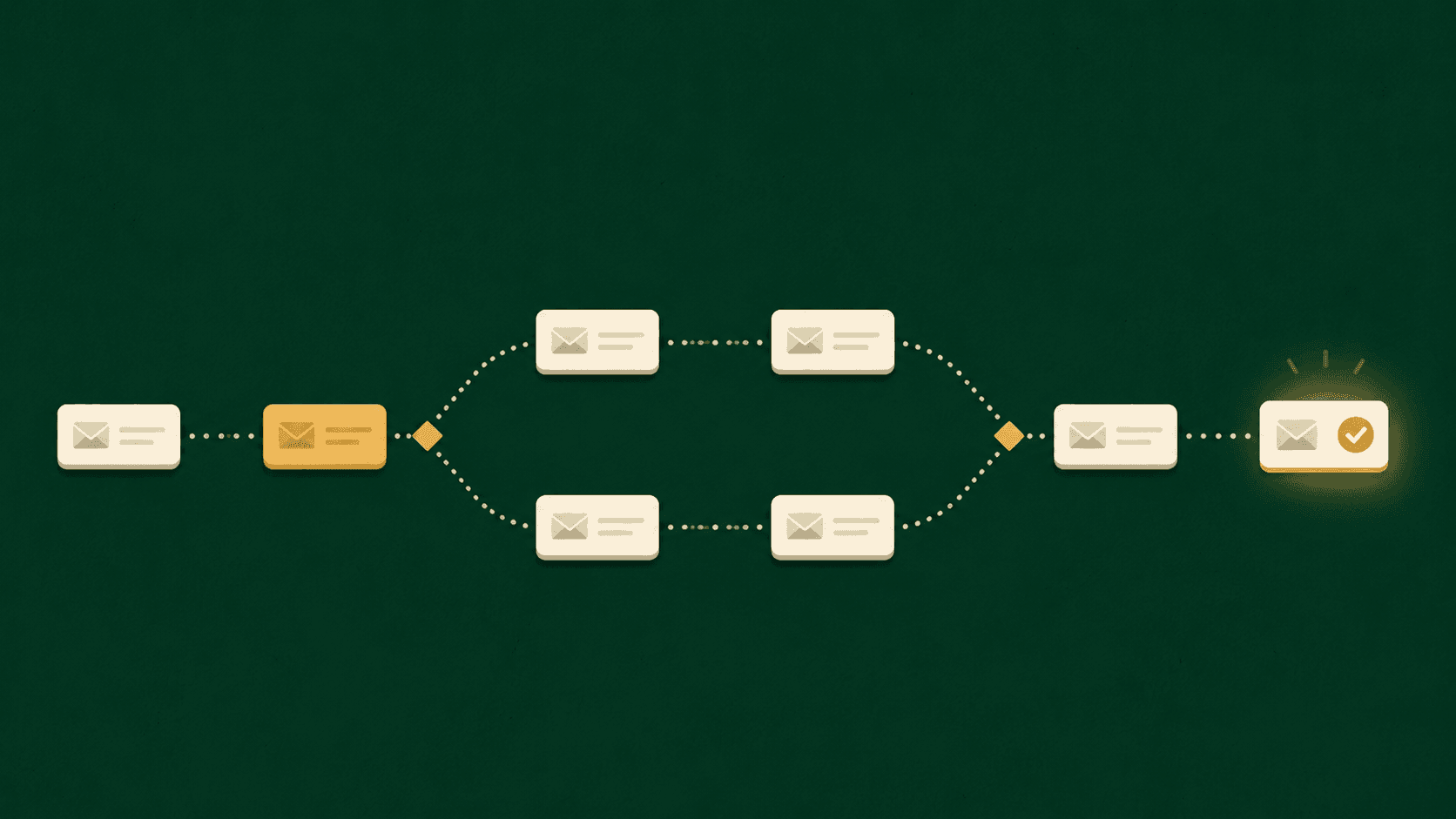
The defining rule: onboarding emails are triggered by what the user does, not by what day it is. A calendar-only drip sends "how to get started" to someone who finished getting started yesterday, and that one mismatch teaches users your emails are safe to ignore. The skeleton:
| # | Trigger | Timing | |
|---|---|---|---|
| 1 | Welcome | Account created | Immediately |
| 2 | Setup nudge | Key setup step NOT done | Day 1 to 2, skipped if done |
| 3 | First-win follow-up | Key setup step done | 2 hours after |
| 4 | Use case spotlight | Still active | Day 3 to 4 |
| 5 | Human check-in | Midpoint of onboarding | Day 5 to 6 |
| 6 | Milestone | First real outcome reached | On the event |
| 7 | Handoff | Onboarding complete | End of window |
Emails 2 and 3 are two branches of the same fork: the user either completed your product's key setup action or did not, and only one of those people should hear from you. If your tool supports condition checks, this fork is the single highest-value thing to build. We walked through the full branching logic, including trial expiry and win-back, in our drip campaign guide.
The seven templates
Adapt the voice, keep the structure. Every template is one idea, one link.
1. The welcome. Subject: "Welcome to [product]. Here is your first step." Not "Getting started with [product]" followed by six links. One sentence of what outcome they signed up for, one link to the single action that starts it, one sentence of what happens after. Nothing else.
2. The setup nudge. Subject: "[The step] takes about 3 minutes." Sent only to people who have not done the key action. Name the specific blocker, dissolve it ("no credit card needed", "works with your existing account", "here is a 90 second walkthrough"), link straight to the step. Do not list other features; someone who has not done step one does not need steps two through six.
3. The first-win follow-up. Subject: "Nice. Here is what [the thing they did] unlocks." Sent a couple of hours after the key action, while the win is warm. Congratulate briefly, then hand them the single next action that compounds it. This is the highest-open email in most onboarding sequences because it is a receipt for effort, not a demand for it.
4. The use case spotlight. Subject: "Most teams use [product] for this first." Show one concrete workflow with a specific outcome, ideally matched to something you know about them (their role, their signup source, what they connected). One use case. The email that lists five use cases sells none of them.
5. The human check-in. Subject: "Quick question." Plain text, from a person with a name, no images, no buttons: "You are a few days into [product]. What are you trying to get done with it? Reply and I will point you the right way." The replies to this email are product research you cannot buy, and the occasional customer it saves pays for the whole sequence.
6. The milestone. Subject: "You just [reached the outcome]." Triggered by the first real result: first invoice sent, first post published, first report shared. Mark the moment, show the number, suggest the habit ("teams that do this weekly see..."). This is the email that turns a successful trial into a felt success.
7. The handoff. Subject: "You are set up. Here is how we stay useful." Onboarding sequences must end. Say what communication comes next and how to control it, point to the two resources worth bookmarking, and stop. A sequence that never ends is just a newsletter with a worse name.
Onboarding email best practices, compressed
Trigger on events and add exit conditions, so nobody gets asked to do something they already did. Suppress the whole sequence the moment a user churns or converts to a different lifecycle stage. One call to action per email, one link repeated at most twice. Plain text outperforms designed templates for onboarding in most SaaS contexts, because these emails should feel like the product talking, not marketing. And measure activation and reply rates, not opens; open tracking is noise since Apple Mail Privacy Protection.
Quick answers
How many onboarding emails should a sequence have? As few as get a typical user to activation. Five to seven is the common shape, with two of them conditional, so most users receive four or five.
Onboarding email vs. welcome email? The welcome email is email one of the onboarding sequence, not a separate program. Treating "welcome" as a standalone blast is how products end up congratulating users who never came back.
When should the first email go out? Immediately on signup, while intent is at its peak. Everything after that should key off behavior, not the calendar.
Do onboarding emails need to be personalized? Behaviorally, yes: the fork at emails 2 and 3 matters more than any first-name token. Cosmetic personalization without behavioral branching is decoration.
Any tool with event triggers, delays, conditions, and tags can run this sequence. We build SendHeron to make exactly this kind of flow simple to assemble without enterprise pricing.
Start a 7-day free trial and build your onboarding sequence in SendHeron. The trial takes a card, and you are not charged if you cancel before it ends.
From the template gallery
- Waitlist emailConfirm the signup, set the expectation, keep them warm
- Welcome emailOne action, sent the second the account exists
- Onboarding email templateOne email per setup step, skipped once the step is done
- Feedback and survey emailOne question, as a reply, an NPS score or a rating
- Trial expiration emailThree emails, branched on whether the trial was used