Write the email where you send it
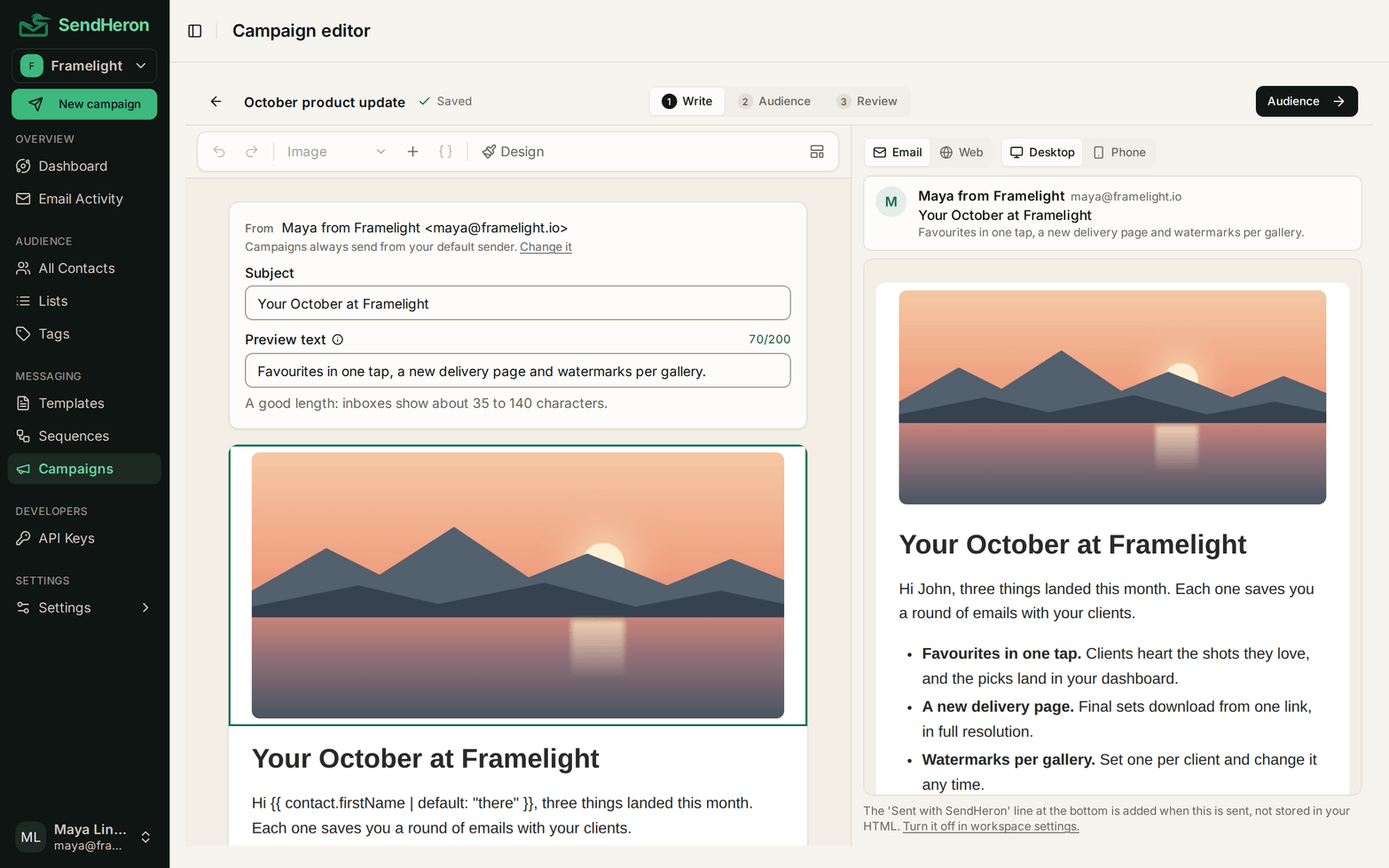
Campaigns and templates share one editor. You write in the email itself, with the subject and preview text at the top, and the server renders the preview beside it as you type.
app.sendheron.com/campaigns
Type in the email
Click into the email and type. Press / on a new line for the menu of blocks: text, three sizes of heading, bulleted and numbered lists, a quote, a button, an image, image beside text, a divider, a spacer, social links, custom HTML and the unsubscribe link. Select a block to open its settings beside the email, drag it by its handle to move it, and undo or redo any change.
Design sets the whole email at once: the canvas and content colors, the width, the corner radius, an email-safe font, and the text and link colors.
A campaign saves itself as you type. A template keeps its Update button and its version history, because a saved template is live wherever it is used, and templates written in HTML keep the HTML editor.
Subject and preview text at the top
The subject and the preview text sit above the email. Preview text is the line an inbox shows after the subject, and its counter stops at 200 characters. It goes out as a hidden line at the top of the email, and templates take it over the API too.
Email and Web previews
The preview beside the email is rendered by the server while you write, by the same code that sends it. Switch between Email and Web, at desktop or phone width. The Email view opens with the inbox line: the sender, the subject and the preview text after it.
app.sendheron.com/campaigns
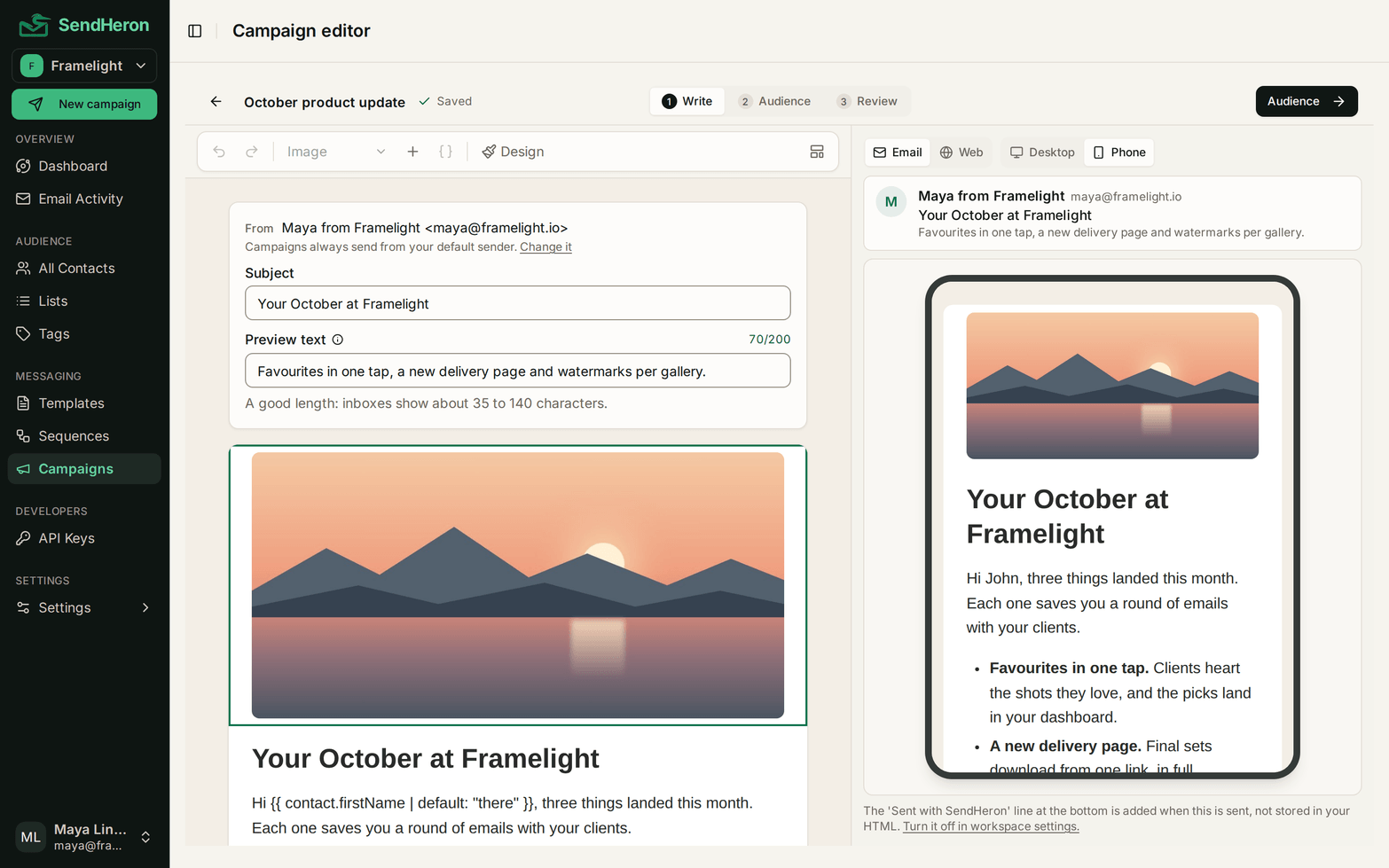
Campaigns from start to send
A campaign is written in the same editor, or starts from a template built with blocks, which is copied in. Pick the audience next, a list or the contacts you choose, then review it and send a test, send it now or schedule it. A one-off email to a few contacts is a campaign too.
Once a campaign starts sending, everyone on it gets the same email, and the sent campaign shows exactly what went out.
Related: Templates, Preview text over the API
Free trial
See the next one land
Everything listed here is live the day it is listed. Start a trial and use it.
7-day free trial. Pick a plan, add a card, cancel before the trial ends and you won't be charged. 1,000 contacts and 5,000 sends during the trial.